Our Solutions

ERP Accounting

Account Payable System

Account Payable System

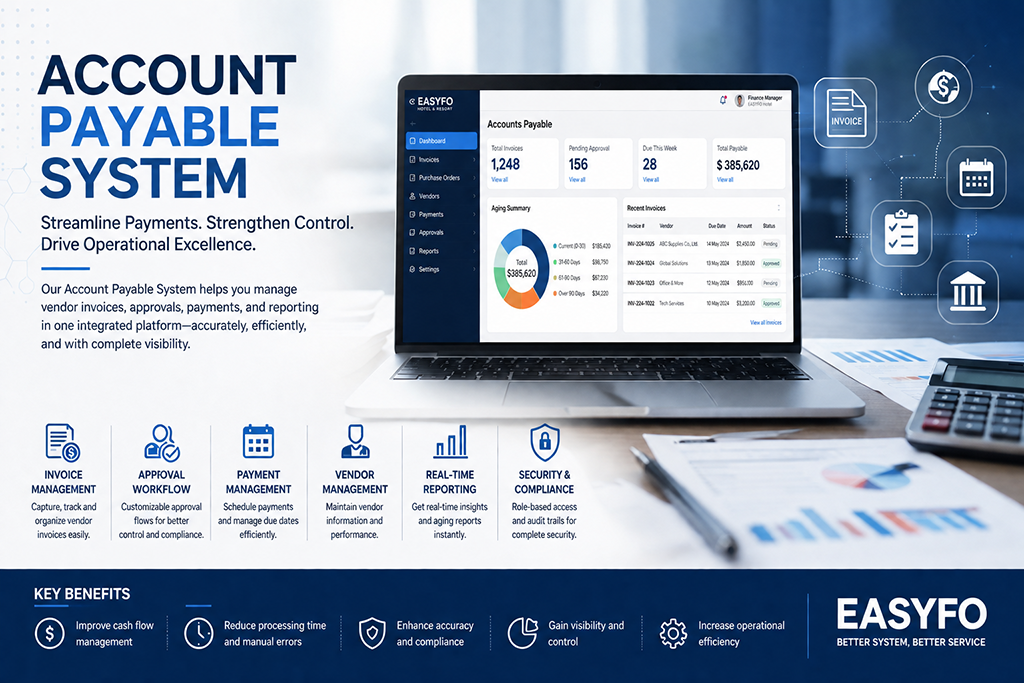
AP (Account Payable) is one of the main features in our EASYFO Back Office software, interfacing smoothly with the Inventory and General Ledger systems. The program is primarily designed to support users at all levels in handling various types of payments and tax processes. It is also very user-friendly, allowing customization of multiple styles of Payment Vouchers or Cheque formats. The multi-purpose menu makes payment processing easier while ensuring accuracy.

Read More
General Ledger System

General Ledger System

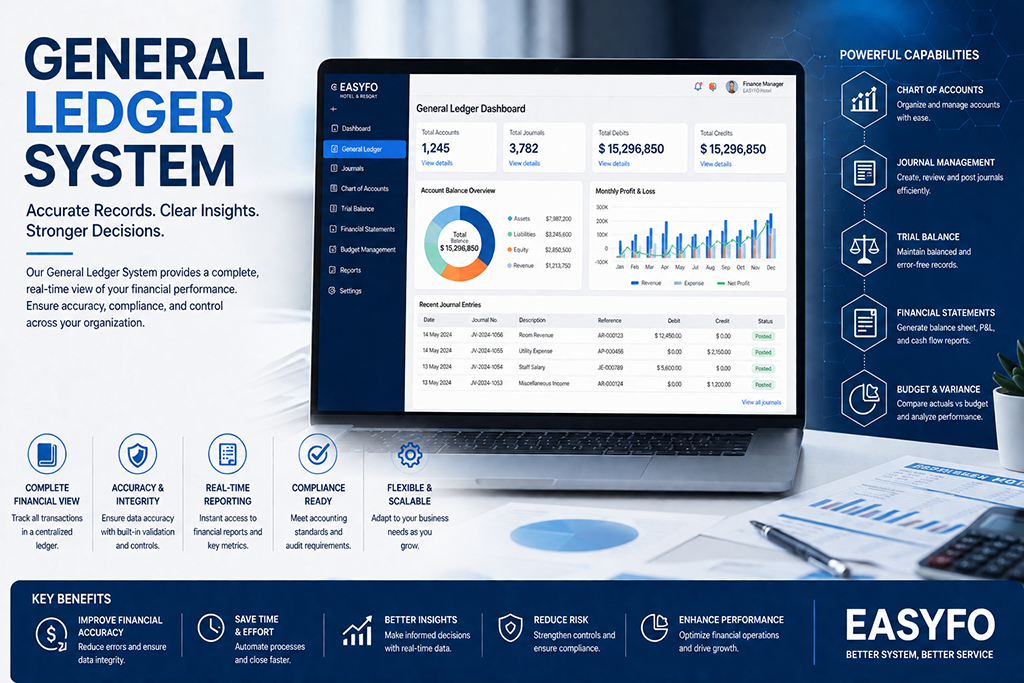
GL (General Ledger Program) is an accurate and reliable program for your Back Office accounting and summaries. The program is designed to support multiple styles of accounting systems, allowing the creation of various types of accounting charts. It features a quick menu and easy access to each transaction detail, ensuring a highly stable system. All reports are adjustable and flexible to support different management styles.

Read More
Account Receivable System

Account Receivable System

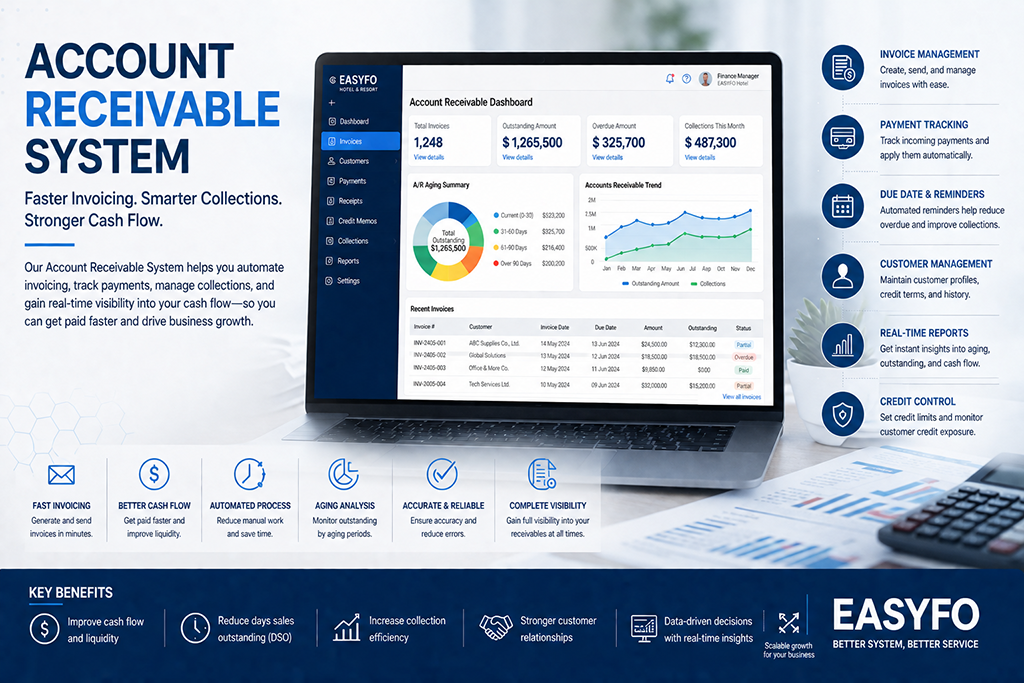
AR (Account Receivable) is a program that interfaces between the Front Office and Back Office, particularly the billing and invoice systems. Its main features support and ensure the accuracy of City Ledger, Credit, and Payment details. The program maintains a flexible concept, allowing users to create and design different types of statements, single or multiple invoices, and reports to meet user requirements.

Read More
Inventory System

Inventory Control System

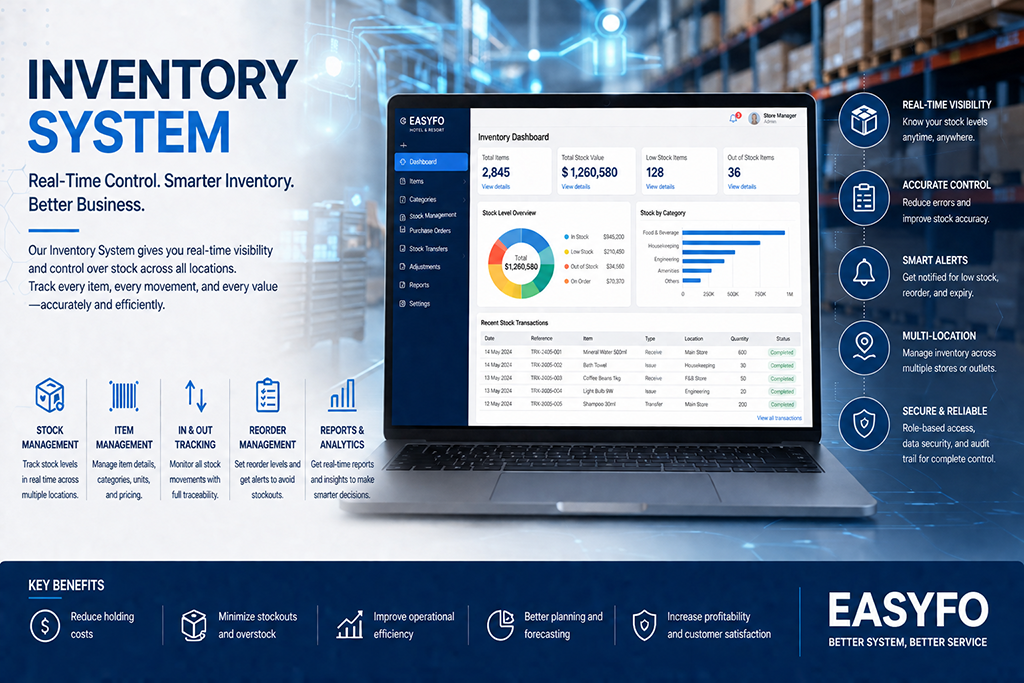
Inventory System is a major program within the EASYFO Back Office System. It includes detailed modules for Purchasing and Cost Control. The program is designed to interface directly with the POS (Point of Sale) to monitor restaurant food costs. Its flexibility is a key feature, enabling staff and management to issue and approve PRs (Purchase Requests) and POs (Purchase Orders) within the system. Smart storage and stock control features further help users save valuable operation time.

Read More
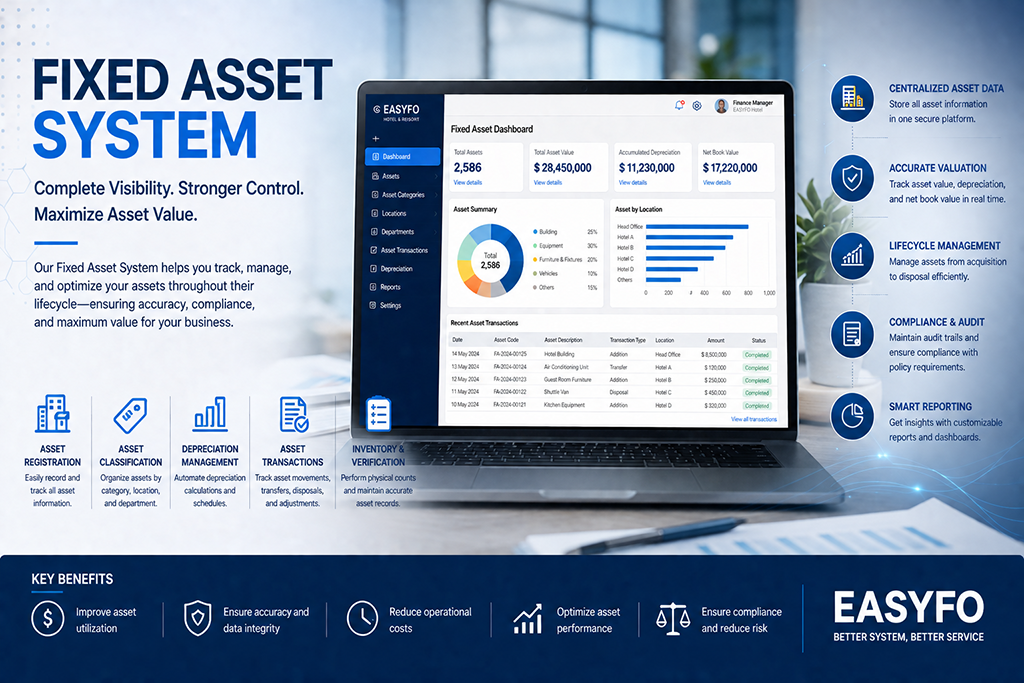
Fixed Asset System

Fixed Asset System

Fixed Asset System is a program designed to support Back Office operations, particularly helping management plan budgets and investments.

Read More

Product Detailed Specifications

Account Payable System

Account Payable System

AP (Account Payable) is one of the main features in our EASYFO Back Office software, interfacing smoothly with the Inventory and General Ledger systems. The program is primarily designed to support users at all levels in handling various types of payments and tax processes. It is also very user-friendly, allowing customization of multiple styles of Payment Vouchers or Cheque formats. The multi-purpose menu makes payment processing easier while ensuring accuracy.

PRODUCT FEATURE
Account Payable
- Allow specific type of account payment for separating account.
- Easy and fast posting function or posting in individual Account Payable.
- Posting transaction with VAT, Non-VAT and combinable both items in same invoice.
- Allow to transfer transactions between Account Payable.
- Split transaction to settle by installments.
- Fast and easy searching transaction by Account Payable name, account code, invoice number or transaction date.
- Approve payment voucher by user rights with specific amount levels.
- Automatic audit completed transaction before transfer to General Ledger.
- Automatic posting Withholding TAX transaction in cheque or settlement process.
- Show status when due debt period in Account Payable.
- Automatic backup monthly transaction while Month-End Process.
- The Invoice Number that is useful for internal and external, the Account Payable module can be marked for payment using the Invoice Number.
- Support Thai and English Menu, Screen and printing belonging to user id.
- Use MariaDB or MySQL and support database on cloud platform.
- Multiple Databases with UTF8-Unicode.
Cheque Book
- Settle one cheque for several invoice per Account Payable.
- Bank reconcile function for cheque withdrawal.
- Export cheque settlement and bank account transfer for bank interface protocol.
- All cheque detail available for review during month-end account.
VAT Management
- VAT Management function to handling purchased VAT and Pending VAT.
- Allow to correct date, invoice number and payee name.
- Show TAX invoice status in colors, normal, almost expire and expire.
- Select function for specific Purchase VAT lists of current month and pending function.

General Ledger System

GL (General Ledger Program) is an accurate and reliable program for your Back Office accounting and summaries. The program is designed to support multiple styles of accounting systems, allowing the creation of various types of accounting charts. It features a quick menu and easy access to each transaction detail, ensuring a highly stable system. All reports are adjustable and flexible to support different management styles.

PRODUCT FEATURE
Journal Voucher
- Create account codes easily, support up to 5 levels, including a maximum of 20 digits.
- User-defined template (Set form) journal voucher.
- Allow to enter free style formula for income allocation and account receivable.
- Unlimited blank form journal voucher.
- Audit control balance while posting transactions.
- Unlimited chart of account.
- Easy tree view chart of account style.
- Account code yearly budget, allowance to enter unlimited year in advance.
- Import yearly budget from Microsoft Excel sheet.
- Posted journal voucher function is allowed to review, edit and adjustment easily.
- Journal voucher approval function for post to Journal book with non-editable.
- Export trial balance to Microsoft Excel sheet for preparation of financial statement - with several visions.
- Recovery Month-End function for adjustment and correction.
- Automatic posting Profit & Loss Transaction.
- Automatic backup monthly transaction while Month-End process.
- Support Thai and English menu, screen and printing belonging to user id.
- Issuing financial statements from journal recording Without performing the account closing process.
- Use MariaDB or MySQL.
- Support database on cloud platform.
- Multiple Databases with UTF8-Unicode.
Import Function
- Daily Income from Front Office with account allocation automatically.
- Monthly statistic from Front Office.
- New posting, adjustment and settlement from Account Receivable.
- Invoice, cheque, settlement, VAT and withholding tax from Account Payable.
- Issue transaction from Inventory Control.
- Monthly depreciation from Fixed Asset.
- Allow to import journal voucher from third party software.
General Ledger System
Account Receivable System

Account Receivable System

AR (Account Receivable) is a program that interfaces between the Front Office and Back Office, particularly the billing and invoice systems. Its main features support and ensure the accuracy of City Ledger, Credit, and Payment details. The program maintains a flexible concept, allowing users to create and design different types of statements, single or multiple invoices, and reports to meet user requirements.

PRODUCT FEATURE
Account Receivable
- MariaDB or MySQL (RDBMS) software.
- Support database on cloud platform.
- Can be used in multiple languages with support for UTF8-Unicode.
- Eliminate data loss problems and reading the wrong information.
- Easy sorting of database entries.
- Full support for exporting reports to Excel files.
- Summary of business information By Crystal Report program.
- Able to preview reports easily.
- User can configure up to 5 criteria to search in the report page.
A/R Profile
- Account receivable allows to deactivate or activate for front office online.
- Set up automatic transaction transfers to another account when online from the front office system.
- There are two addresses for full tax invoice details.
- Import account receivable profile from front office profile details.
- Create account receivable profile manually without linking with front office.
- User define invoice format and account receivable can select format independently.
- Warning message at front office system when debt is over credit limit.
- Support special remarks up to 250 characters.
- Allow front office system with black list status.
A/R Account
- View folio history direct from front office system.
- Online transactions from front office system automatically.
- Allow adjustment transaction during the current period.
- Audit transaction details and summary from aging report.
- Audit transaction status and deal date for invoicing.
- Issue a receipt and tax invoice from the account receivable system.
- Allow to generate credit note and debit note.
- Export transactions for importing to general ledger system.
- Trace transaction record movement details.
- Analysis account receivable setting performance and outstanding debit.
- Automatic backup monthly transaction while month-end process.
- Support Thai and English menu, screen and printing belonging to user id.

Inventory Control System

Inventory System is a major program within the EASYFO Back Office System. It includes detailed modules for Purchasing and Cost Control. The program is designed to interface directly with the POS (Point of Sale) to monitor restaurant food costs. Its flexibility is a key feature, enabling staff and management to issue and approve PRs (Purchase Requests) and POs (Purchase Orders) within the system. Smart storage and stock control features further help users save valuable operation time.

PRODUCT FEATURE
Purchase
- Online Approval in the system for Purchase Request and Purchase Order.
- Issue multiple Purchase Order from one Purchase Request.
- Documents attachment function in all state Purchase Request and Purchase Order.
- Show processing status for Purchase Request and Purchase Order.
- Online approval levels for Purchase Order with balance limit levels.
- Create new Purchase Order without Purchase Request.
- Price quotation function will enter the lowest price for Market Lists Purchase Order.
- Show the Purchase History lists from vendor or receiving item records.
- Import/ Export to Microsoft Excel for Price Quotation for/ from vendor.
- Fast and easy search for the product item by Item Code, English/ Thai description or partial words.
- Support Thai and English menu, screen and printing belong to user id.
- Set the status and rate the store history.
Receive
- Support on barcode for receiving item process.
- Create Purchase Order from received Item function.
- Allow to transfer receiving list to Account Payable for settlement.
- Allow to Receive partial quantity Item.
- Receive direct to store and department without Purchase Order.
- Check the history of receiving each item.
Issue
- Online Store Request and approval Store Request.
- Transfer Item between store or department.
- Determine minimum and maximum on stock control.
- View current inventory items, department and store balances.
Cost Control
- Setup recipe for a la carte to banquet and show estimated cost to set selling price.
- Set ingredients for cooking banquet in advance.
- Import daily mini bar sold Item from Front Office system to cut mini bar stock.
- Import daily spare part issuing In Engineering Department to cut engineering stock.
- Import daily sold Item from Point Of Sale system to cut F&B Department stock.
Inventory Control System
Fixed Asset System

Fixed Asset System

Fixed Asset System is a program designed to support Back Office operations, particularly helping management plan budgets and investments.

PRODUCT FEATURE
Asset List
- Keep asset details such as brand, model, price, warranty and etc.
- Maintenance function, to keep maintenance record details and cost.
- Allow to specific start date for starting depreciation calculation.
- Enter assets which have not depreciation calculation.
- Enable upload the asset image into asset details.
- Allow to transfer asset handling from a staff to another staff.
- Allow to transfer asset handling from a department to another department.
- Show current net value asset.
- Show total cost and number of maintenance.
- Show purchase details such as purchase order reference, price quantity and unit price.
- Show monthly depreciation records and accumulation depreciation amount.
- Support barcode on asset details and label.
- Import received asset records from inventory system.
- Allow to adjust net asset value.
- Balance forward accumulation depreciation from old system.
- User log file to keep any change in asset details.
- Export monthly asset depreciation for General Ledger.
- Support Thai and English menu, screen and printing belong to user id.
Asset Setup
- Determine the asset category for account code setup for General Ledger system.
- Determine the group of asset up to 5 digits long.
- Determine user rights more 30 than functions.
- Identify asset handling by which staff and department.
- Support asset code up to 11 digits long.
- Determine the concerned department.
- Determine the sub-division of department.
- Determine the list of staffs, which handle the asset.